
An institutional mailbox is assigned to all our students. The service, other than being used for normal e-mail functions, constitutes a priority channel for communication between the university and the student community. Communication may also be confidential, such as notice of exams booking, career registration of exams.
To login the mailbox just uses your name and surname by adding the suffix @stud.uniroma3.it (Link identifier #identifier__186312-1name.surname@stud.uniroma3.it).
Access the service
The e-mail service will be active within 72 hours from the enrollment to Roma Tre University. It isn’t necessary to change your password for the login.
Enter the address Link identifier #identifier__145374-2http://webmail.uniroma3.it, to access the e-mail service.
Password Recovery and Change
You can proceed to change the password within your Link identifier #identifier__133631-3personal account (Gomp).
If you have lost or forgotten your password:
- request a Link identifier #identifier__61471-4new password to be sent to the email address provided during registration;
- submit a request to the University Link identifier #identifier__15799-5helpdesk system, attaching scans/photos of both sides of a valid ID document and the Link identifier #identifier__76112-6Roma3pass request form duly completed;
- visit the workstation Link identifier #identifier__86089-7University Telematic Piazza at via Ostiense 133, with an identification document to receive support.
The new password will be automatically synchronized and therefore also used for access to the mailbox.
Link identifier #identifier__165887-8Guide on the setting up of e-mail accounts
To access your email inbox for the first time, you must wait at least 72 hours from the moment of enrollment.
If you change your password (password recovery and change)inserire rimando al titolo che è all’inizio del testo the password will be automatically synchronized with the password used to access your email inbox.
If no login is performed for 6 months, the inbox will be emptied with all its contents.
Some emails may be flagged as junk mail; such messages remain visible for only 10 days before being deleted. To prevent this, simply mark the sender as trusted.
To access the service, visit the page: Link identifier #identifier__91319-9http://webmail.stud.uniroma3.it
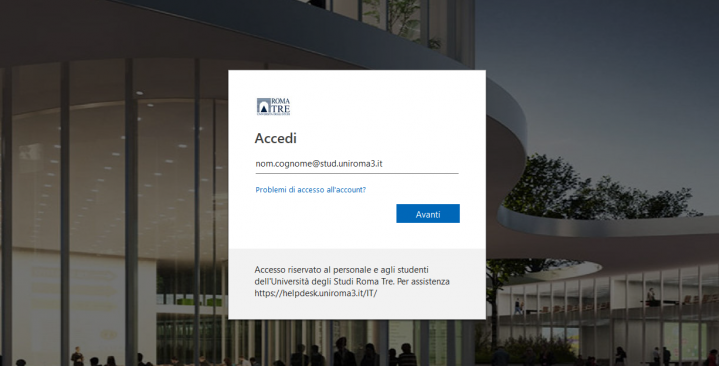
Enter your username followed by @stud.uniroma3.it in the Username field and your corresponding password in the Password field.
For information on how to recover or change your password, see the relevant section above.
Once logged in, you will be able to configure your Windows Live account by completing the following screen:
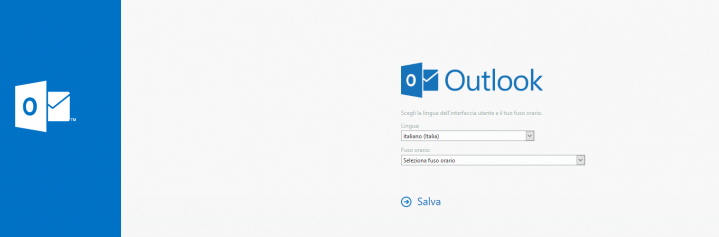
By clicking the Save (Salva) button, the system will automatically open the email management page.
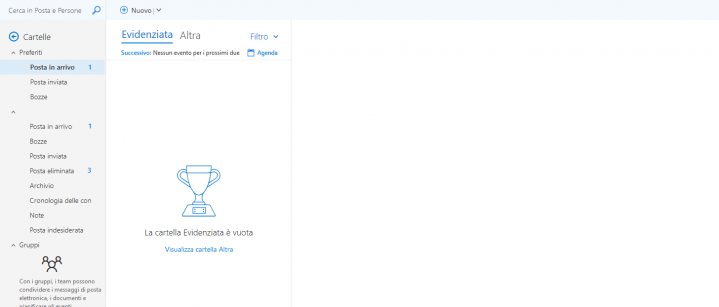
How to forward to a personal email address the messages received in your university email account
To automatically forward the messages received in your institutional email account to another email address, click on the menu icon in the top right corner, type the word “Forwarding” in the search field, and click on the function that appears.
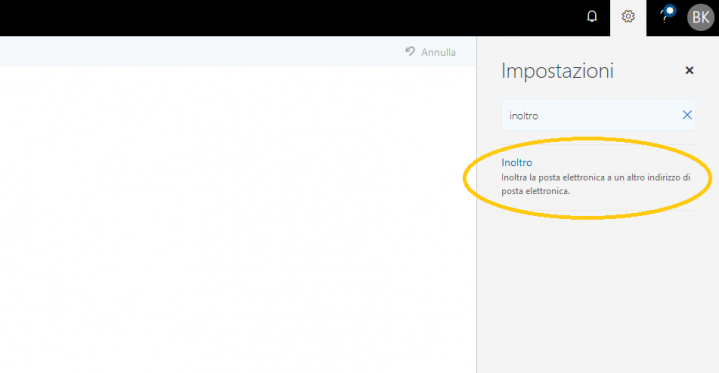
Next, enter the email address to which you want to forward the messages received in your university mailbox in the appropriate box, as shown in the image, and confirm the operation by clicking the Save button.
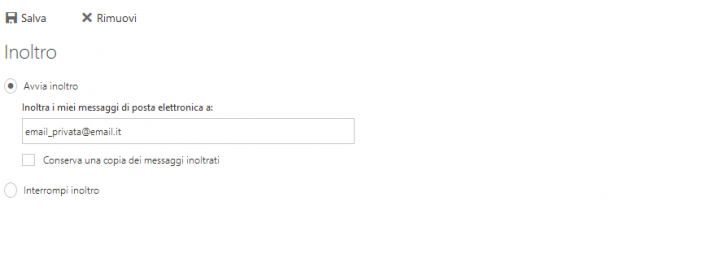
From this moment on, all messages sent to your university email account will also be automatically forwarded to the address you specified during configuration.
You can always return to this screen by following the same steps described above, to modify the address or disable forwarding using the “Stop forwarding” option.